Building Minute: On-Device AI That Actually Fits the Workflow
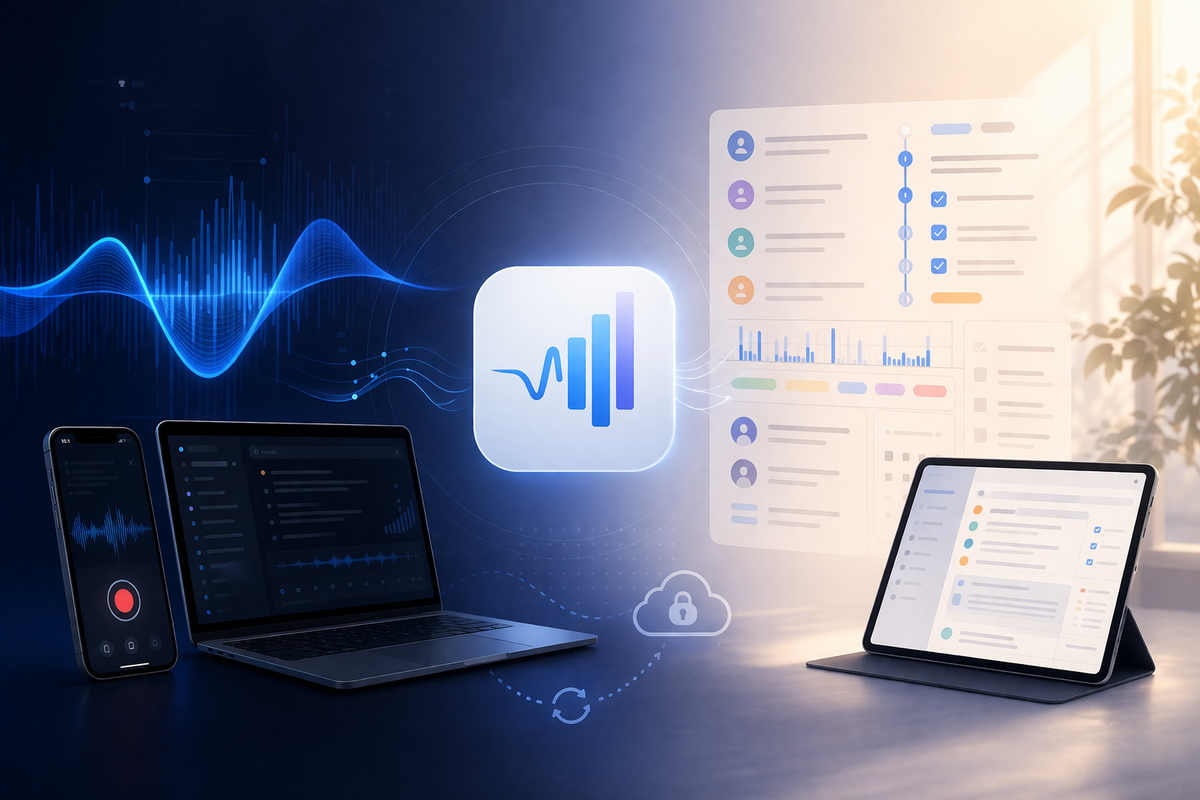
Most apps in this space follow a familiar pattern. You capture audio, send it somewhere else, wait for it to be processed, then get something back that’s meant to be useful. It works, but it introduces distance between what actually happened and what you end up with. There’s always a handoff, a delay, and a subtle loss of context.
Minute started from a different constraint. Everything runs on-device, which wasn’t added later as a feature, it was the starting point. Once that decision is made, a lot of other choices stop being optional.
Why Minute Exists at All
This didn’t start from "oh aren't AI notes are interesting", it came from a more practical tension that kept coming up.
People already want to record conversations. Not for novelty, but because they don’t want to miss things. A client call, a sensitive discussion, a safeguarding concern, a meeting where details matter later. The intent is simple, capture it once, use it properly afterwards.
The hesitation is where that data goes.
Even with strong vendor assurances around encryption and compliance, there’s still a line people don’t want to cross. Not because those systems are poorly built, but because the risk isn’t zero. Data leaves the device, moves across systems, gets processed and stored somewhere else. At that point, you’re relying on the entire chain behaving as expected.
In some environments, that’s enough to stop adoption entirely. People either don’t use the tools or fall back to manual notes, even when they know it’s worse.
That’s the gap this is trying to close.
If recording and transcription happen entirely on-device, the question changes. You’re no longer asking someone to trust a third party with sensitive conversations. You’re letting them use a tool without changing their risk profile.
There’s also a more practical point that gets missed, as for most of these use cases, you don’t need the full capability of large, remote models. You’re not solving open-ended reasoning problems. You’re turning conversations into structured, usable information.
Transcription, extracting actions, identifying participants, structuring notes, these are bounded tasks. Smaller models, combined with a well-defined pipeline, are capable of handling them reliably.
The assumption that everything needs to go to the largest available model doesn’t really hold up here. It adds complexity and risk without materially improving the outcome.
The Constraint That Forces Better Decisions
Running everything locally removes a lot of the usual shortcuts.
There’s no unlimited compute, no background infrastructure smoothing things out, and no easy way to hide inefficiencies behind loading states. Every part of the system has to justify itself.
That changes what "good" looks like.
Smaller models that behave consistently are more useful than larger ones that occasionally produce better output but are harder to control. A pipeline that degrades gracefully is more valuable than one that aims for perfect results and fails unpredictably.
Transcription uses Parakeet models because they run fast and predictably on-device. Analysis uses small local models like Qwen or Gemma, selected based on what the device can actually handle.
The system is split into clear steps, transcription, structuring, classification, extraction, formatting. Each step does one job. Each step can fail without breaking everything else.
I’d rather have something that is consistently usable than something that is occasionally impressive.
Recording Is Where Most Tools Fall Short
Recording is often treated as solved. In practice, it’s where things start to drift.
If the input is incomplete or wrong, everything downstream is compromised.
On iPhone, that mostly comes down to clarity and reliability. On Mac, the problem changes. Work happens across meetings, calls, presentations, and browser tabs. Capturing that properly means being precise about what you record.
The Mac app leans into that, it uses Core Audio process taps to capture audio at the source, rather than relying on indirect approaches. That allows recording to reflect what actually happened, down to the level of specific applications.
It sounds like a technical detail, but it has a direct impact on output quality. Better input reduces the need for correction later, which is where a lot of systems quietly lose trust.
The Pipeline Matters More Than the Model
There’s a tendency to focus on which model is being used. In practice, the structure around it matters more.
The flow is straightforward on the surface. Record, transcribe, analyse, structure, recall. What matters is how that flow behaves when things aren’t ideal.
Processing isn’t tied to the UI, as once a recording exists, it moves through transcription, analysis, and embedding regardless of whether the user stays on that screen. A central processor handles orchestration, status, and retries, so the system doesn’t depend on the view layer to complete work.
The other part is how models are exposed, or more accurately, not exposed.
Most tools push that decision onto the user. You’re asked to choose between model names, sizes, or configurations. In practice, that’s not useful. It creates the illusion of control while adding friction.
No one wants to decide which model a meeting should be processed with, or think about quantisation before generating notes.
Given that these tasks are well-bounded, the system can make that decision itself.
Models are selected automatically based on device capability and task type. If something isn’t available or suitable, the system falls back and continues.
If the user is thinking about models, the abstraction has already failed.
Structure Over Summaries
Summaries are easy to generate and easy to read, which is why most tools default to them. The problem is that they compress information without making it easier to act on.
What matters more is structure.
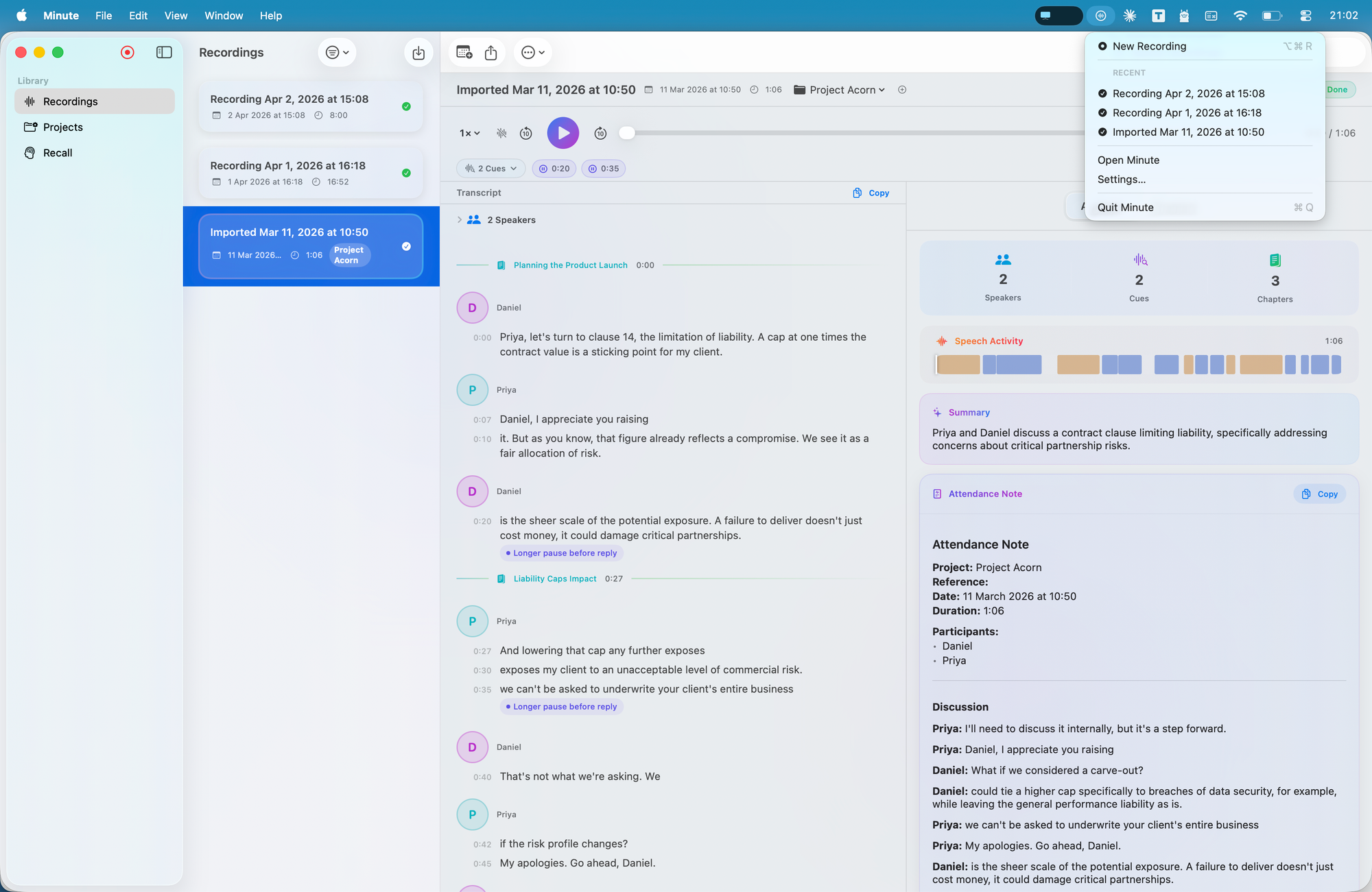
Who was involved, what was decided, what needs to happen next, and where to find it again.
That’s why the output is shaped into actions, participants, timelines, and categories. Smart Chapters provide a usable table of contents rather than a flat timeline. The analysis view breaks information into components you can scan and work with.
Even smaller details, like delivery cues, are there to surface patterns without over-interpreting them. The aim is to support judgement, not replace it.
The goal is simple, you shouldn’t have to listen again just to extract what matters.
One System Across iPhone, iPad, and Mac
The app isn’t designed around a single device. It operates as one system across iPhone, iPad, and Mac, with iCloud as the backbone.
Everything lives within the user’s private iCloud. Metadata is stored via CloudKit, audio sits in iCloud Drive. That split allows each type of data to behave appropriately.
Metadata, transcripts, structure, tags, analysis, syncs quickly and keeps devices aligned. Audio is downloaded on demand, so large files don’t block the experience.
Each device processes what it has locally. If the audio is there, it can be transcribed and analysed there. There’s no central job queue and no dependency on another device being online.
Outputs can vary slightly between devices depending on capability. That’s an intentional trade-off. Consistent structure matters more than identical wording.
The system stays aligned with the original constraint. Data stays with the user, processing stays local, and everything remains in sync without introducing another layer.
Local First Changes the Experience
Cloud systems can be very fast. In many cases, they are.
The difference isn’t raw speed, it’s dependency.
You’re still sending data out, waiting for it to be processed elsewhere, and relying on that round trip completing cleanly. Even when it’s quick, it’s a separate step, so local systems remove that.
Recording, transcription, and analysis happen in the same environment. Results become available progressively rather than arriving all at once from somewhere else.
That changes how the tool is used. It becomes part of the workflow rather than a step after it.
The Trade-offs Are Real, but Worth It
Running everything locally comes with constraints.
You don’t get the largest models. Compute is limited. Outputs can vary slightly across devices and those are real trade-offs.
But as outlined earlier, most of the value here doesn’t come from pushing a model to its limits. It comes from turning raw input into something structured and reliable, that’s a systems problem.
The gap between local and cloud capability is closing. Devices are getting more capable and models are becoming more efficient.
The more interesting change is behavioural.
When everything runs locally, the tool stops feeling like a service you occasionally use. It becomes something that sits alongside your work, always available, always in sync, and not dependent on anything external.
That’s the direction this is built around.
Not bigger models or more features, but a system that fits naturally into how people already work, without asking them to trade away control of their data to get the benefit of using it.
Download the app here:
 ryan mcdonough